Short-form video is no longer optional for creators, marketers, or brands — it’s the dominant content format on every major platform in 2025. Yet most people still spend hours stitching together tools: one app for scripting, another for footage, a third for voiceover, a fourth for music. Free Veo 3 on VeoE AI collapses that entire workflow into a single platform, giving anyone access to Google’s most advanced video generation model — with native audio, 20+ models, a prompt library, conversational creation, and a built-in asset manager — all at no cost to start.
What Is Free Veo 3?
Veo 3 is Google DeepMind’s flagship AI video generation model. What sets it apart from competing models is its ability to produce native synchronized audio — dialogue, ambient sound, and background music are generated as part of the video output itself, not added in post-production. The footage quality is cinematic: realistic motion blur, natural camera behavior, strong character consistency across shots, and high visual fidelity from a plain text prompt.
VeoE AI is a free web platform built directly on the Google Veo 3 API. It makes this technology genuinely accessible: new users receive 100 free credits instantly on sign-in, with a further 100 credits refreshed every week through daily check-ins. No credit card is required. No account is needed to browse the platform. For paid plans, all outputs come with full commercial usage rights — usable in ads, social media, client work, or online courses without restriction.
Core Features of the Free Veo 3 Platform
VeoE AI is not a wrapper around a single model. It’s a full creative platform built around Veo 3, with every tool designed to connect to every other tool without friction.
Multi Video Models — Veo 3, Veo 3.1, Seedance 2, Kling 3.0 and More
Most AI video platforms lock users into one model. VeoE AI offers over 20 frontier models accessible from a single dashboard, making it possible to pick the right tool for every specific job:
- Veo 3 / Veo 3.1 — Google’s flagship cinematic models with built-in synchronized audio; ideal for any content intended for public publishing, advertising, or client delivery
- Veo 3.1 Lite — A faster lightweight variant rendering in approximately 30 seconds; strong balance of speed and quality for social content
- Seedance 2 Fast — ByteDance’s speed-optimized model returning 480p results in under 20 seconds; best for rapid iteration and internal draft review
- Kling 3.0 — Precise compositional control with cinematic motion; useful when scene framing needs to be exact
- Wan 2.6, Grok Imagine, Runway Gen-4 Turbo — Additional frontier models covering specialized visual styles and requirements
Switching between models requires no setup — select, generate, and compare directly inside the same interface.
Veo 3 Prompt Library — Browse, Copy, and Generate Instantly
One of VeoE AI’s most practical and underused features is its curated Veo 3 prompt collection — a growing library of professionally crafted prompts, each paired with an example video output. Categories range from cinematic action sequences and product advertisements to ASMR content, horror atmospheres, and historical scene recreations.
Each prompt in the library is usable in two ways:
- click “Use It” to send the prompt directly to the video generator and produce the same style of output, or click “Copy” to adapt the prompt for your own scene.
- The library also includes a built-in AI prompt generator that takes a rough description of your idea and writes a detailed, model-ready Veo 3 prompt — available for three uses per day on the free tier.
This is particularly valuable for creators who know what they want to see but don’t yet know how to communicate it to a video model. The prompt library effectively functions as a learning resource and a production shortcut simultaneously.
Smart Prompt Optimizer — Built into the Video Generator
Beyond the library, VeoE AI’s main video generator includes a built-in prompt optimizer that activates automatically when a rough description is entered. It rewrites vague input into detailed, model-specific prompts — adding camera angles, lighting conditions, mood cues, and motion direction — then presents three refined variations to choose from.
The practical result: first-time users with no prompt engineering experience consistently produce professional-quality outputs, because the tool handles the translation from plain language to cinematic instruction.
AI Video Agent — Conversational Creation via Chat Mode
For more complex or multi-scene projects, VeoE AI’s Chat Mode offers a conversational approach to video generation. Instead of filling in a prompt field, users describe their video concept in plain language — the same way they’d brief a creative director. The AI Video Agent interprets the vision, breaks it into a structured generation plan, executes the Veo 3 generation automatically, and allows refinements through continued conversation.
Example use cases the Chat Mode handles naturally:
- “Create a 30-second product demo for a smartwatch with dynamic close-ups and modern background music”
- “Make three 15-second TikTok recipe tutorials — bright, engaging, with ingredient text overlays”
- “Generate a cinematic brand video showing our company’s journey with inspiring music and professional pacing”
The Chat Mode also supports context-aware iteration — upload a reference image mid-conversation, describe ongoing style requirements, and the agent maintains visual consistency across multiple generated clips without requiring the user to re-specify everything from scratch.
AI Image Generator — Text to Image, Fully Integrated
VeoE AI includes a full AI Image Generator powered by Google’s Nano Banana model, supporting text-to-image and image-to-image generation across 10 aspect ratios. Images generated here can be fed directly into the video generator as reference inputs for Image-to-Video creation — meaning a single visual concept can move from text → image → animated video entirely within VeoE AI without any file export or external tool.
The image generator outputs are royalty-free and watermark-free on eligible plans, suitable for commercial use in marketing, e-commerce, educational content, and digital art.
Video Assets Library — Organized, Searchable, Reusable
Every video generated through VeoE AI is automatically saved to the user’s Assets Library with its complete creation metadata intact: the original prompt, model version, generation parameters, reference inputs, and iteration history. This metadata is searchable and filterable — by style, duration, creation method, or content theme.
Any asset in the library can be reopened in the video generator with one click, allowing users to refine a previous output, adjust parameters, or use a successful clip as a style reference for a new generation. Assets never have to be re-uploaded or regenerated from scratch — they function as a permanent, evolving creative database rather than a download folder.
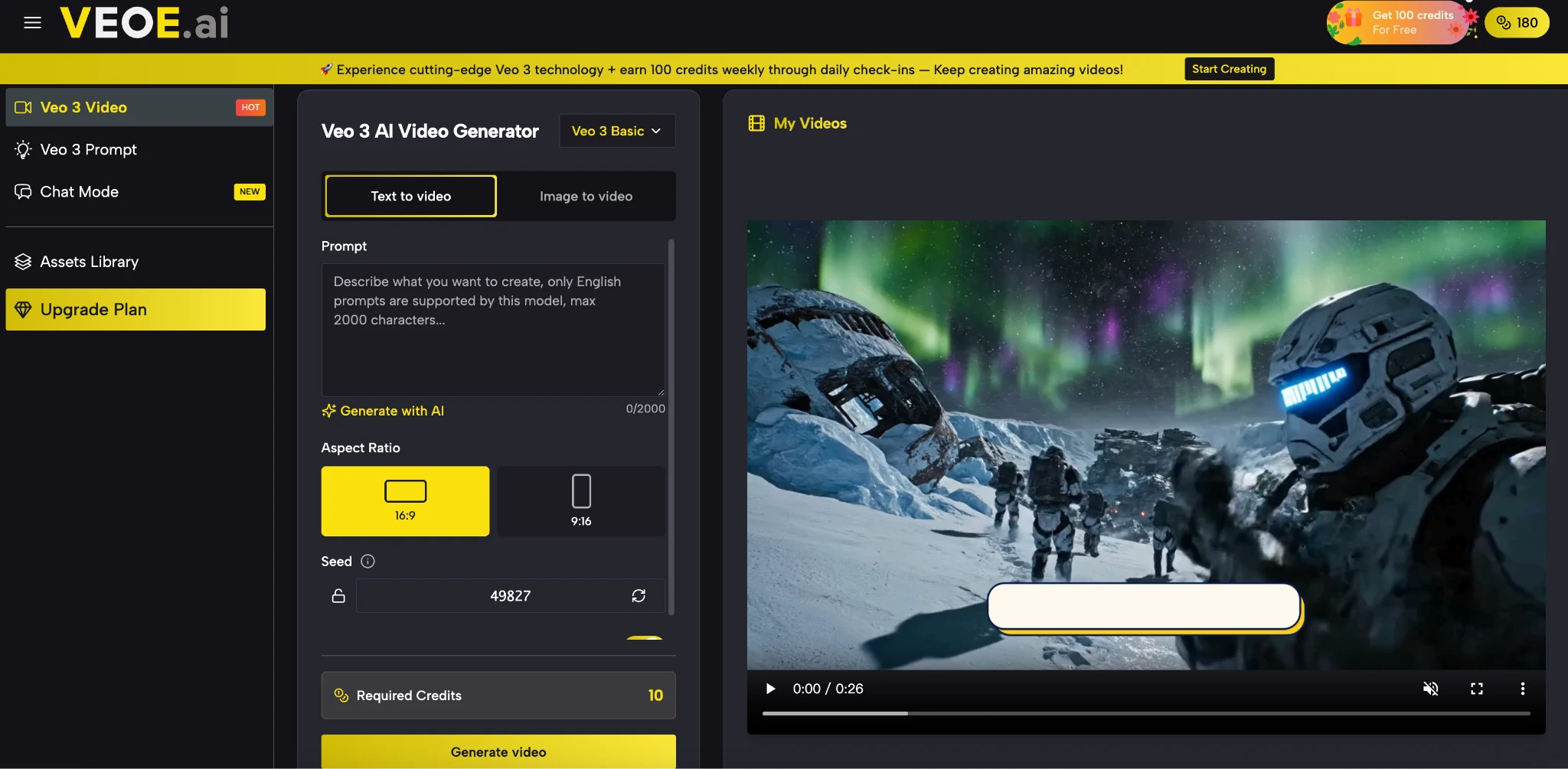
How to Create Your First Free Veo 3 Video
Getting from idea to finished downloadable video takes under two minutes on VeoE AI.
- Open VeoE AI — Visit veoe.ai. No account is required to explore; new users receive 100 free credits immediately on sign-in.
- Choose your starting point — Use the main video generator for direct prompt-based creation, browse the Veo 3 Prompt Library for inspiration, or open Chat Mode for a conversational approach.
- Write or generate your prompt — Describe your scene in plain language, then let the built-in optimizer rewrite it into a detailed, model-ready prompt. Choose from three refined variations.
- Select your model and settings — Pick from 20+ models, set aspect ratio (16:9 for YouTube, 9:16 for TikTok/Reels), and choose resolution and video duration.
- Generate — Hit Generate. The platform renders your video with synchronized audio in 15–90 seconds depending on the model selected.
- Preview, download, and publish — Review the output, download in high resolution with commercial rights, and share to any platform. The video is automatically saved to your Assets Library.
If the first result needs adjustment, refine the prompt or switch models and regenerate immediately — no queue, no restart required.
VeoE AI vs. Other AI Video Platforms: How Does It Compare?
Not all AI video tools are built the same. Here’s how VeoE AI stacks up against the most commonly used alternatives across the criteria that matter most for real production workflows.
| Tool | Core Strength | Best For | Free Plan |
| VeoE AI | Veo 3 + 20 models, native audio, prompt library & AI agent in one platform | Creators, marketers, and teams who need end-to-end video production | Yes — 100 credits/week, no card required |
| Runway ML | High-fidelity video generation | Professional filmmakers | Limited |
| Pika Labs | Short-form creative clips | Social media creators | Yes (watermarked) |
| Synthesia | AI avatar presenters | Corporate training videos | Limited |
| Pictory | Blog-to-video conversion | Content repurposing | Yes (watermarked) |
VeoE AI is the only platform on this list that combines Veo 3’s cinematic quality, native audio generation, 20+ model options, a built-in prompt library, and a conversational AI agent — all under a single free-to-start interface. The other tools each serve a specific niche well; VeoE AI is built for creators who don’t want to be limited to one.
Start Creating
Google’s Veo 3 is the best AI video generation model available to the public today. VeoE AI makes it accessible without a paywall, a waitlist, or a credit card — and surrounds it with a complete production ecosystem: a curated prompt library, a conversational AI agent, an integrated image generator, and an organized asset library that keeps every creation ready to reuse.
If you’ve been looking for a single platform that handles video creation end to end, without the patchwork of separate tools, VeoE AI is the clearest answer available in 2025. Head to the Veo 3 video generator, describe your first idea, and download a finished video with audio in under two minutes — completely free to start.